Webhooks
Webhooks enable real-time notifications for specific events within your integrations. By configuring webhooks, your application can automatically react to changes, updates, or lifecycle events across platform and configured categories. This guide will walk you through adding and configuring webhooks, selecting relevant events, and setting endpoints to receive actionable notifications.
Configuration
You can create webhook endpoints for different integration categories:
-
Navigate to Webhooks
Go to Webhooks from the left menu in your Unizo console

Select Webhooks
-
Create and Manage Webhooks
When you add a webhook, you define:
- Name: A label to identify your webhook (e.g., "new").
- Endpoint URL: The destination URL to which event notifications will be sent.
Example:
https://smee.io/i1McQz8ovbxESbo - Events: Number of selected event types for which you want to receive notifications. For example, 3 events selected.
- Status: Whether the webhook is active or inactive.
- Timestamps: Dates and times for webhook creation and last modification.
-
Adding a Webhook
Click Add Webhook to add the webhook event and endpoint :
Select Events
Choose the events you want to monitor. Events are grouped by category according to your active subscriptions, helping you narrow down notifications relevant to your integrations.
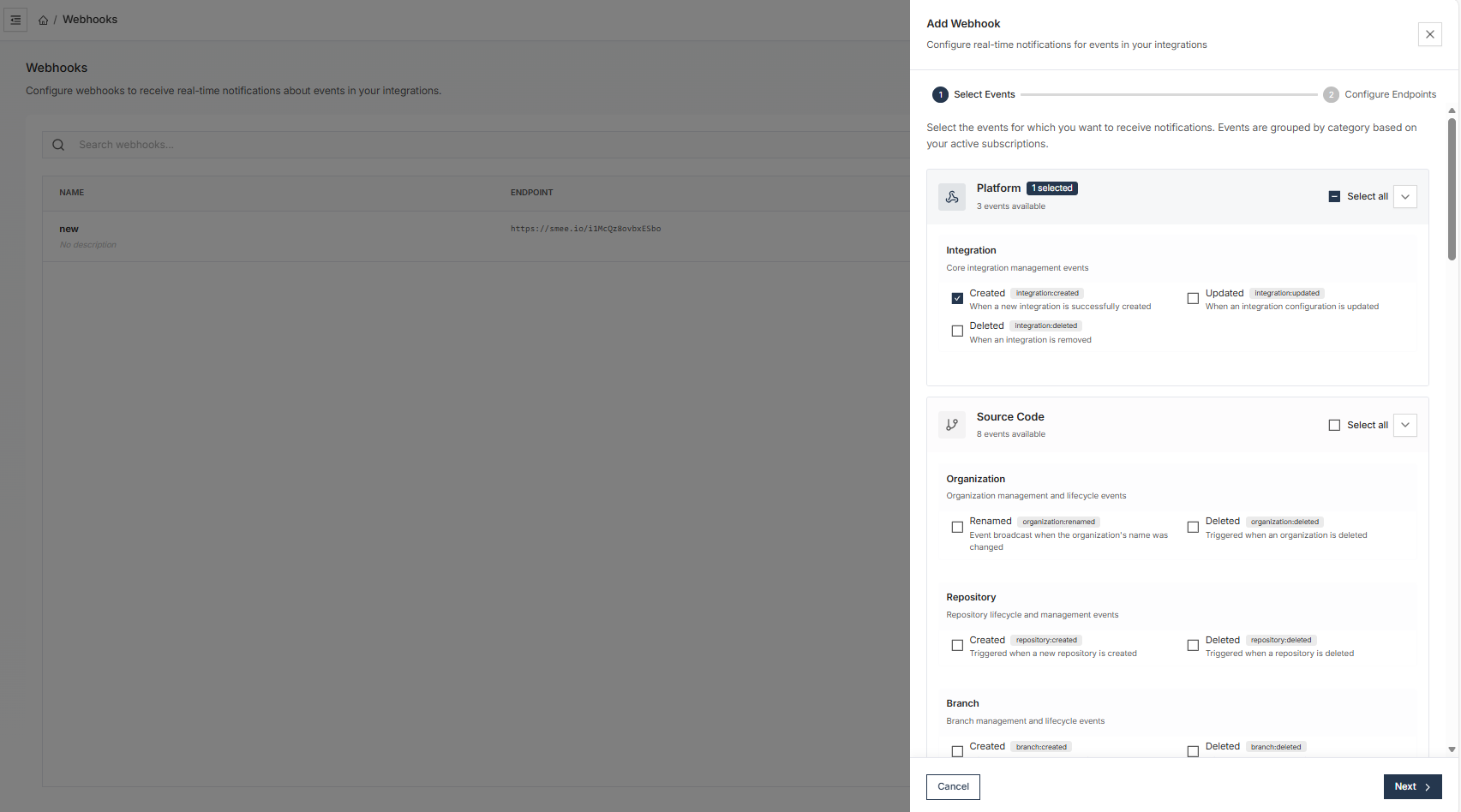
Select Events
Configure Endpoint
Provide the URL endpoint where webhook notifications should be sent. Ensure your server can process incoming POST requests with the expected payload structure.
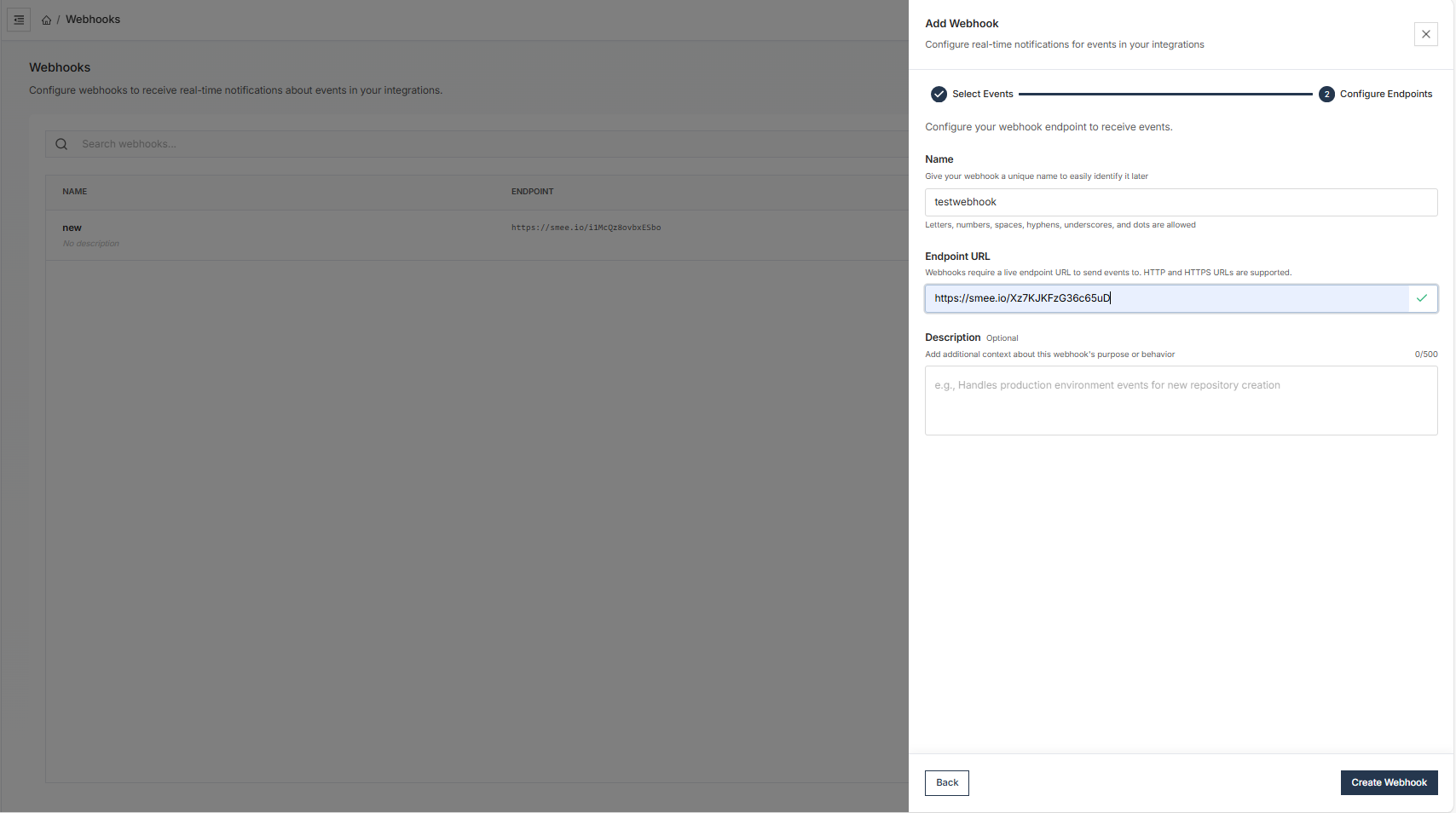
Configure Endpoints
Payload Structure
All webhook payloads follow a consistent JSON structure:
{
  "event": "repository.push",
  "timestamp": "2024-01-15T10:30:00Z",
  "source": {
    "type": "github",
    "integration_id": "integration_123"
  },
  "data": {
    // Event-specific data
  }
}
Security
Signature Verification
Unizo signs all webhook payloads using HMAC-SHA256. Verify signatures to ensure authenticity:
Request Headers:
X-Unizo-Signature: HMAC-SHA256 signatureX-Unizo-Timestamp: Request timestampContent-Type:application/json
Verification Process:
- Extract the signature from the
X-Unizo-Signatureheader - Create an HMAC-SHA256 hash of the request body using your secret
- Compare the computed signature with the received signature
- Verify the timestamp is within acceptable range (prevent replay attacks)
For additional support, contact our team at [email protected].