How to integrate a Checkmarx One account
Overview
To authenticate and integrate with Checkmarx One, you will need the following information:
- Domain
- Client ID
- Client Secret
- Account Name
Step 1: Log in to the Checkmarx One Portal
- Sign in to your Checkmarx One account.
- Log in using your registered email address and password.
Step 2: Identify the Domain
-
The Domain is derived from the base URL of your Checkmarx One account.
Example:
- Base URL:
https://deu.ast.checkmarx.net/ - Domain: deu.ast
- Base URL:
Step 3: Generate Client ID and Client Secret
- From the Checkmarx One portal, navigate to Settings.
- Select Identity and Access Management.
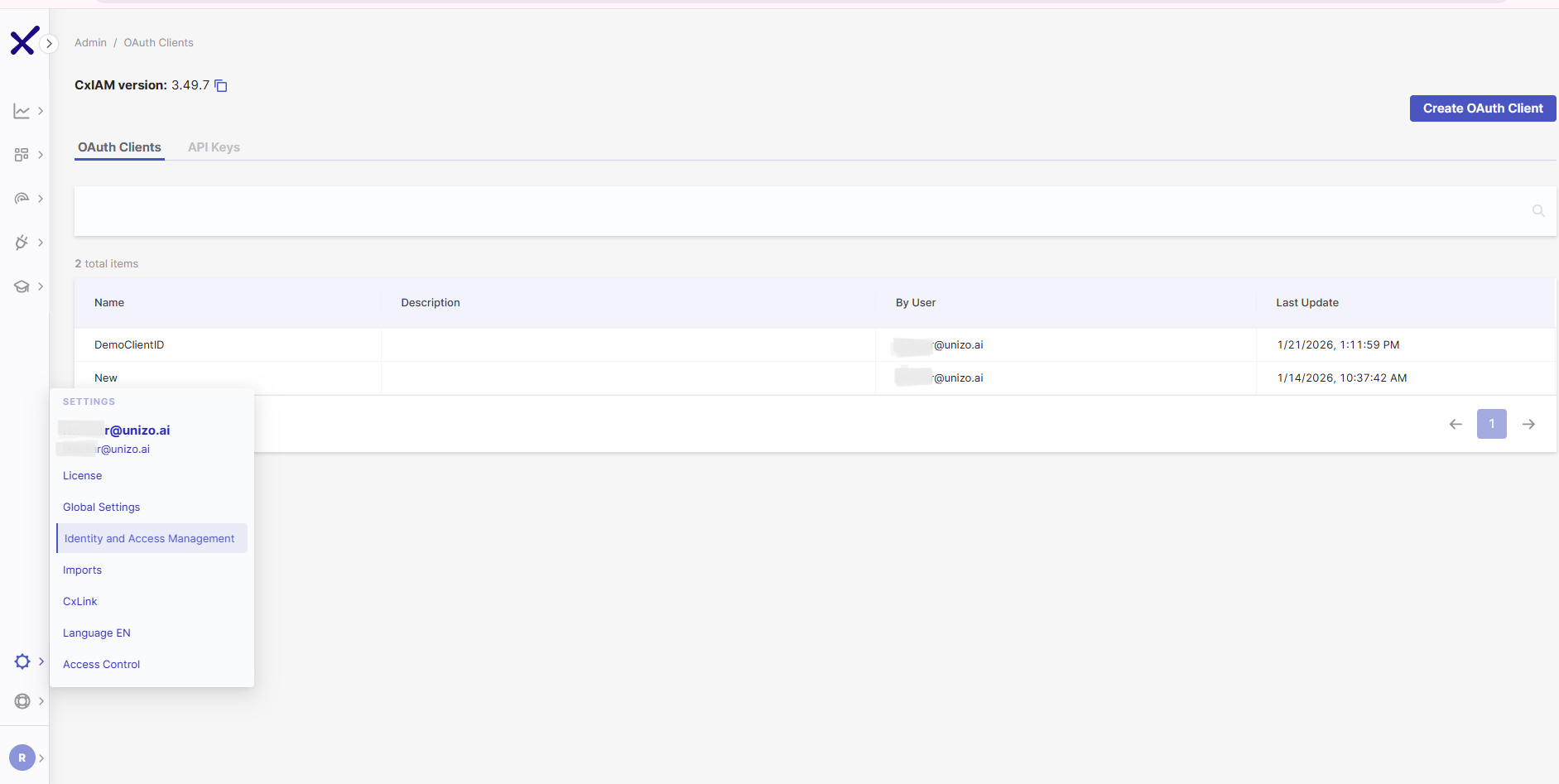
- Click Create OAuth Client.
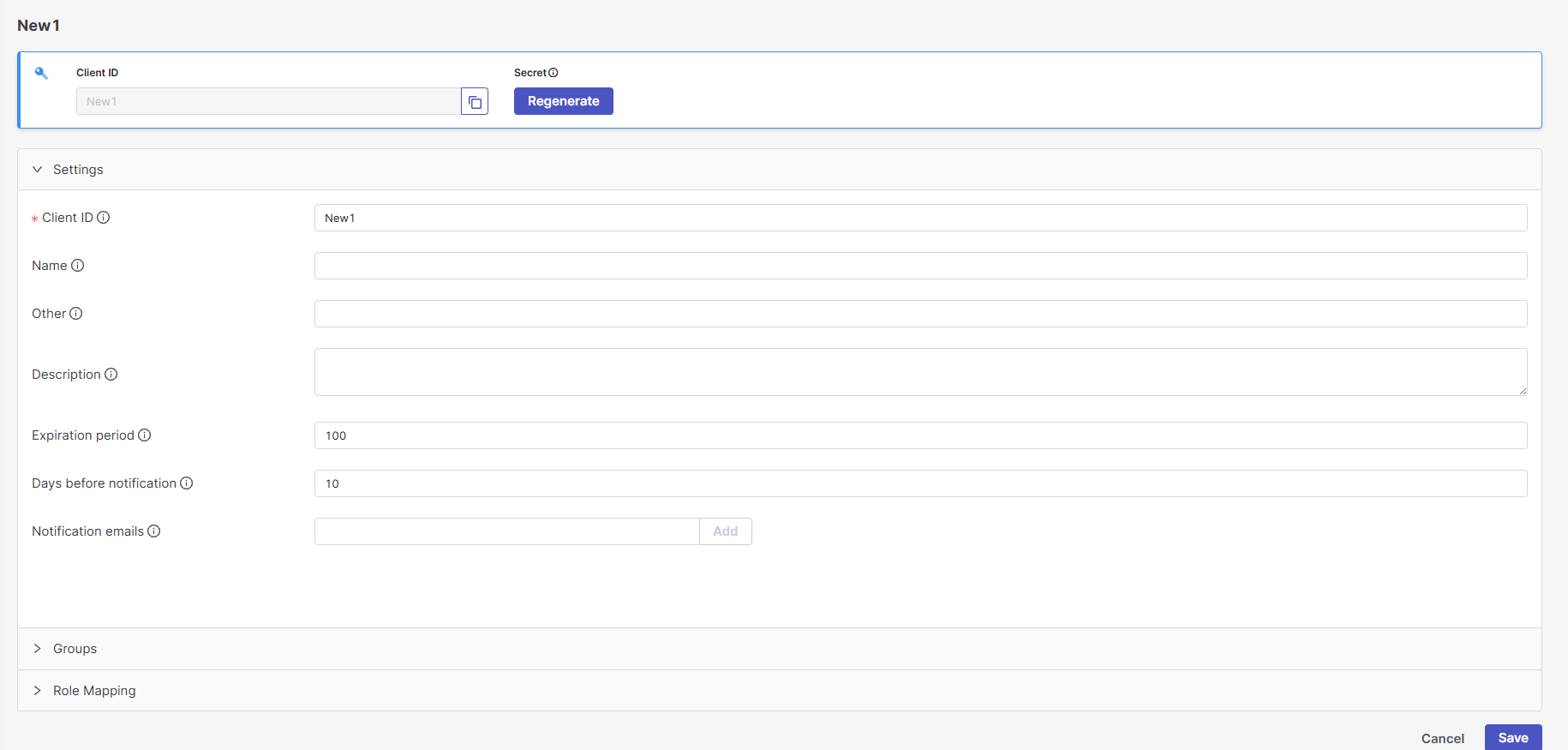
- Enter a name for the Client ID and click Create.
- Click Regenerate to generate the Client Secret, then copy and store it securely.
Step 4: Obtain the Account Name
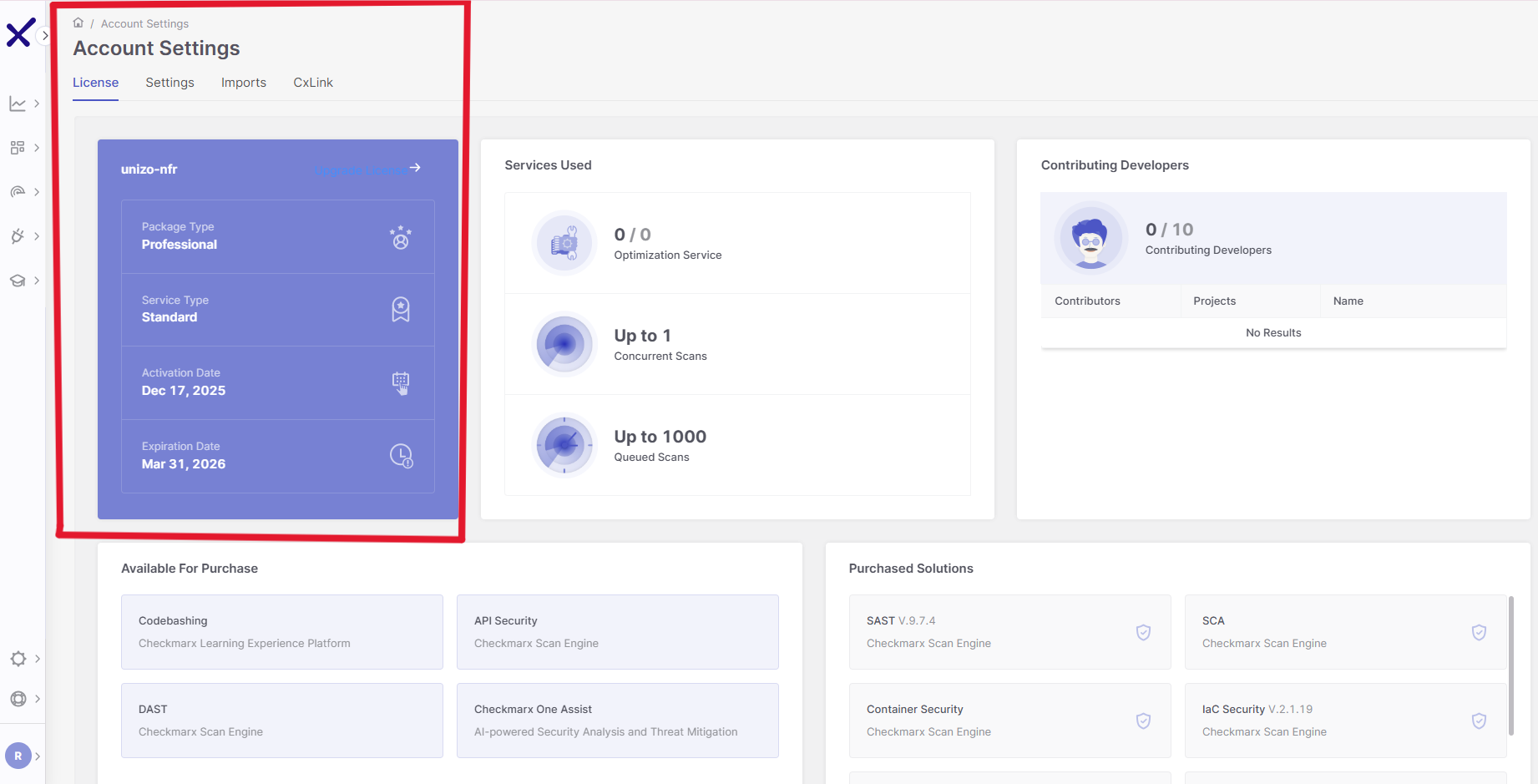
- Navigate to Account Settings → License
- Copy your Account Name
Step 5: Configure Required Permissions
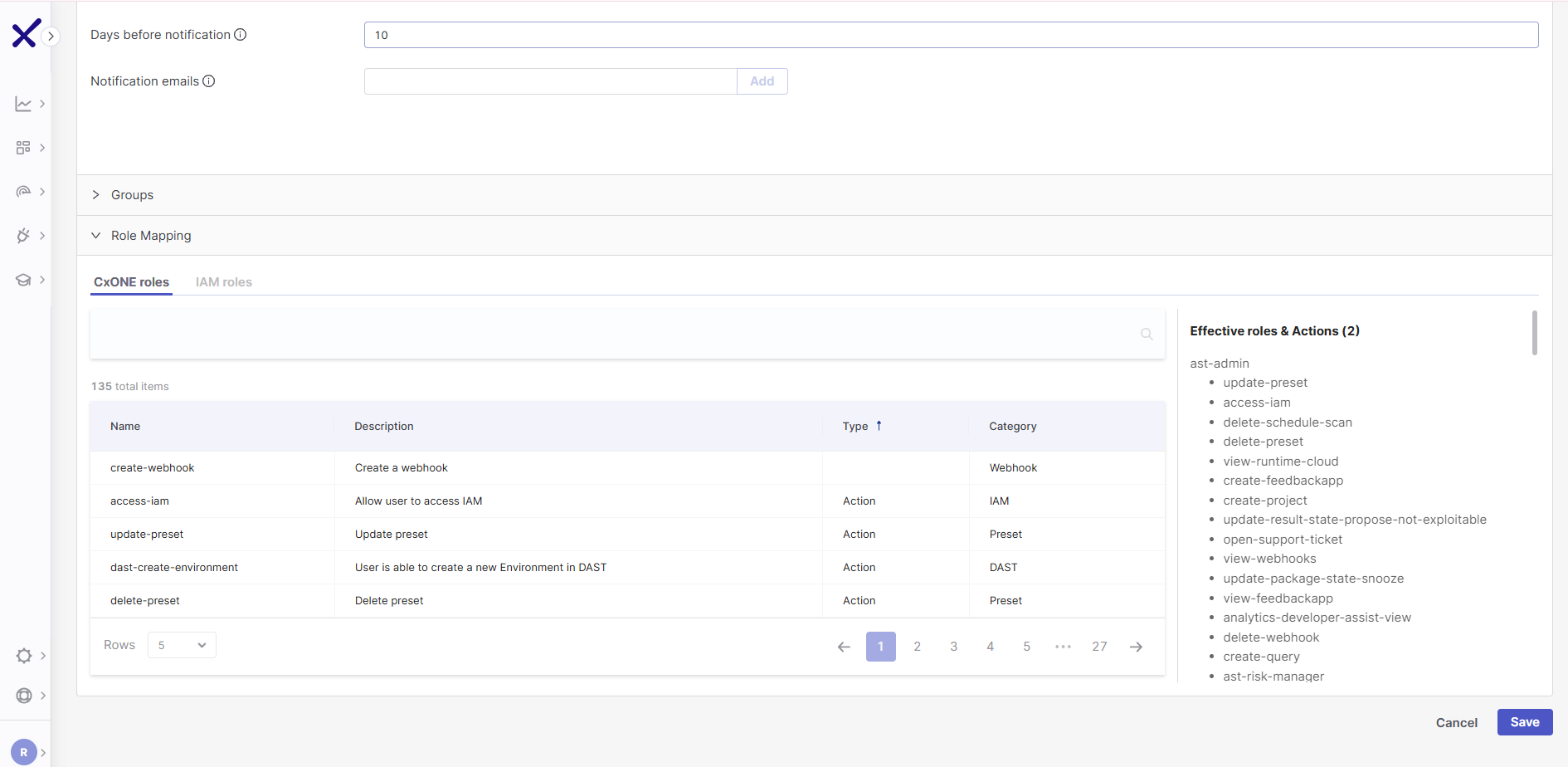
- The OAuth client must be assigned the
ast-adminpermission. - Ensure this permission is enabled before completing the integration.